

1
Give the Pin a clear brief
Describe what the Pin is about, enter its main keyword and add relevant supporting keywords. An example brief can fill the form if you want to try the tool first.
2
Write and compare options
Generate the options, then compare their wording and keyword checks. The tool shows which keywords each option uses.
3
Edit and copy
Click a title or description to edit it. Check its character count, then copy the title, description or pair using the available controls.
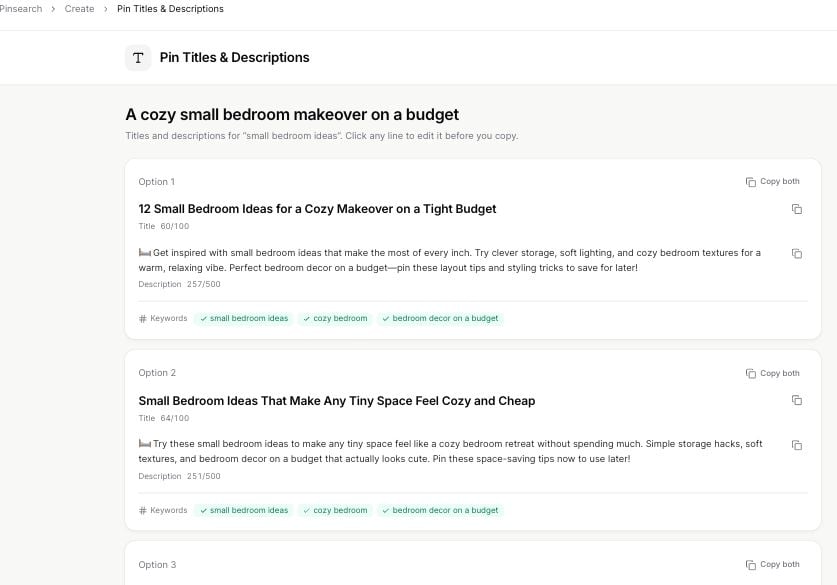
Compare wording, character counts and keyword coverage before copying.
Refine the result
Give the topic useful context, such asa cozy small bedroom makeover on a budget, rather than repeating only the main keyword. Choose supporting keywords that describe the same content.
The tool’s title counter is 100 characters; its description counter is 500. These are the writing tool’s counters; Publishing has its own field limits.
You can generate another set and compare earlier options during the same session. Copy useful results before leaving; this tool is not a saved copy library.
Writing titles and descriptions currently costs zero credits. Free allows 10 generations per month. If copying fails, select the text and copy it directly. If generation fails, wait briefly and try again.