

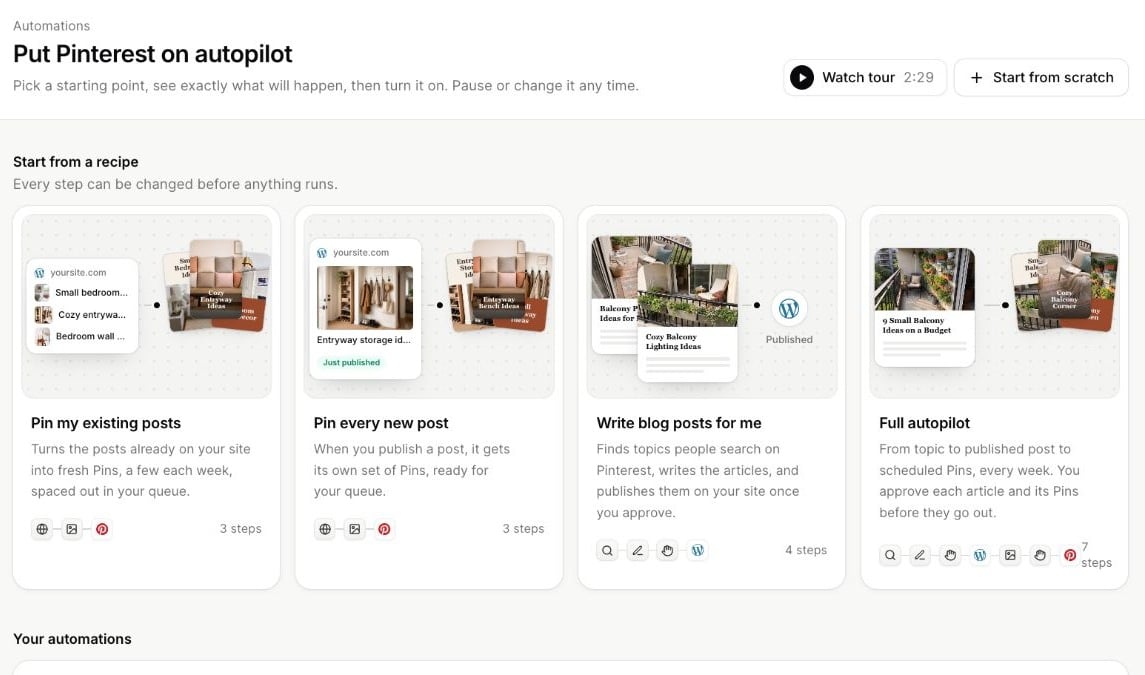
Recipes provide editable starting points for existing posts, new posts and article workflows.
Choose a recipe
Every recipe can be changed before turning it on. Use Start from scratch if you already know the sequence you want.
Before you start
Connect the destinations your flow needs. Pinterest Pin workflows need a Pinterest account; scheduled Pins need queue times. WordPress publication needs a connected site. Article writing needs enough credits. Free users can build a flow and run one test. Running recurring automations is included with Basic, Plus, Pro and Lifetime. Publishing and article limits still apply to the output.Three stages
- Build: Configure steps, review What will happen, choose the weekly run day and time, and check the credit estimate.
- Test: Run one real item through the flow. Articles use credits and Pins are saved to Drafts; the test does not publish.
- Turn on: Confirm the plan and let it run on the selected schedule. Monitor results and respond to approvals on the automation’s page.
Build a flow
Choose sources, actions and destinations.
Test and turn on
Understand test output before starting recurring runs.
Approvals
Control what moves on and what happens after three days.
Monitor and pause
Review results and resolve paused workflows.