

1
Finish the flow
Check that What will happen shows Ready. Review the source, destinations, weekly run time and credit cost.
2
Run one item
Click Test run. Follow the panel as it reads a post or topic and creates the result. If the flow includes Wait for my OK, use Approve or Skip in the test panel.
3
Inspect the output
Open the generated article or the link to Pins in Drafts. Check content, designs, copy and boards. Update the flow if the result is unsuitable.
4
Start recurring runs
Click Turn on, review the final summary and confirm Turn it on. The confirmation shows the first run time. The automation’s page then shows its schedule and results.
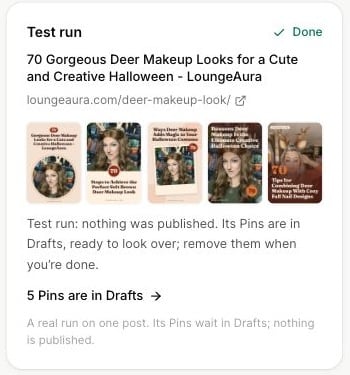
A completed test creates real Pins in Drafts while leaving publication for a later decision.