

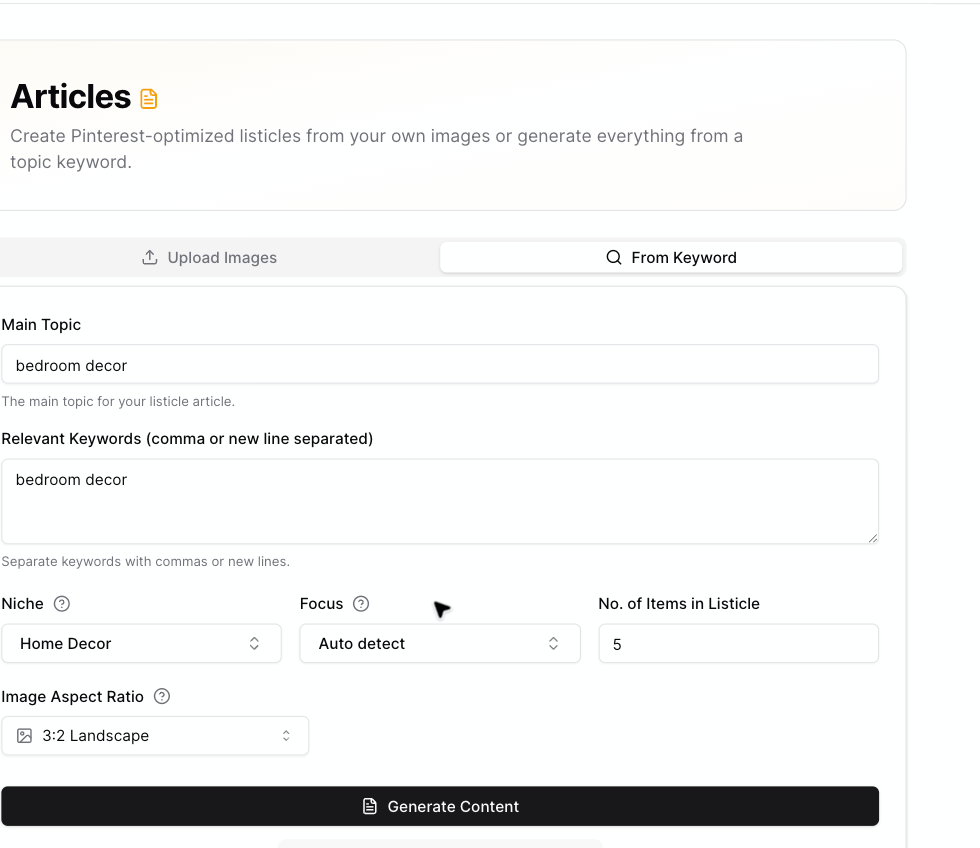
The From Keyword tab includes item count and image aspect ratio settings.
Choose article length
Use No. of Items in Listicle to choose how many sections Pinsearch should create. You can choose 1 to 25 items. Shorter articles are useful when:- You are testing a topic.
- You want a quick draft.
- You have a narrow idea.
- You want to spend fewer credits.
- The topic has many clear examples.
- You want a bigger article.
- You are creating a roundup.
- You are building a larger content asset for WordPress.
Credit impact
Topic-to-article generation uses 2 credits per item. Examples:- 3 items use 6 credits.
- 5 items use 10 credits.
- 10 items use 20 credits.
- 25 items use 50 credits.
Choose image aspect ratio
Use Image Aspect Ratio to choose the shape for AI-generated listicle images.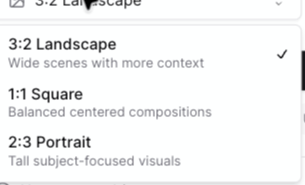
Current image ratio choices are landscape, square, and portrait.
- 3:2 Landscape: Wide scenes with more context.
- 1:1 Square: Balanced centered compositions.
- 2:3 Portrait: Tall subject-focused visuals.