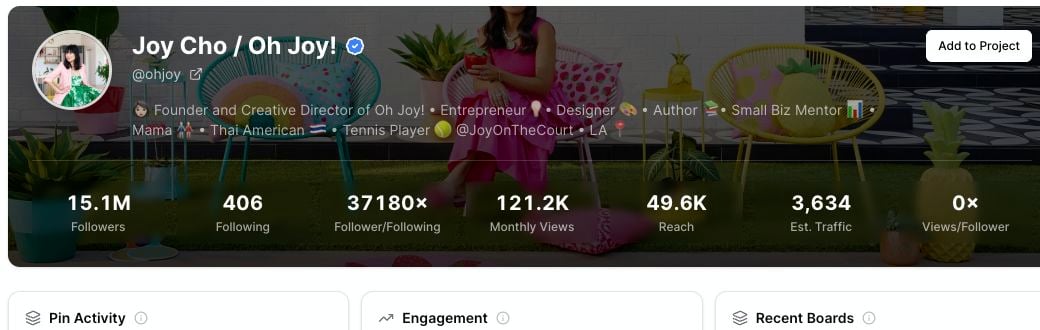
The Profile Explorer header gives you a quick read on a Pinterest account before you look at recent pins. Use it to compare profiles, decide which competitors are worth saving, and understand whether an account is active and relevant to your niche.
Profile Explorer header with profile name, Add to Project, followers, following, monthly views, reach, estimated traffic, and views per follower

Account details

The left side of the header can show:
  • Profile name: The account name shown on Pinterest.
  • Username: The Pinterest handle.
  • Profile link: An external-link icon that opens the profile on Pinterest.
  • Verified badge: A badge when the profile has a verified identity.
  • Private status: A lock icon when the profile appears private.
  • Description: The profile bio or about text.
  • Domain: A connected website, when the profile shows one.

Metrics in the header

Use these metrics as quick comparison signals.
MetricWhat it meansHow to use it
FollowersThe profile’s audience size.Compare profiles in the same niche.
FollowingHow many accounts the profile follows.Spot whether an account follows many others or keeps a smaller list.
Follower/FollowingFollowers compared with following count.Compare audience strength across profiles.
Monthly ViewsMonthly profile view count shown for the account.Understand profile visibility.
ReachA directional reach signal shown by Pinsearch.Compare profiles against each other, not as a private analytics number.
Est. TrafficA directional traffic estimate.Use it to prioritize competitors for deeper research.
Views/FollowerMonthly views compared with follower count.Spot profiles that may get attention beyond follower size.
These numbers are best used for comparison. They help you decide which profiles to study, but they should not be treated as exact private analytics from the profile owner.

How to interpret the numbers

A large profile is not always the best profile to study. Look for a mix of:
  • A relevant niche.
  • Active recent pins.
  • Healthy saves or comments on recent pins.
  • Topics that match your own content area.
  • A strong views-per-follower signal.
For example, a smaller profile with focused boards and strong recent saves may be more useful than a huge profile in a broad niche.

Domain and verification signals

Some profiles show a connected website under the username.
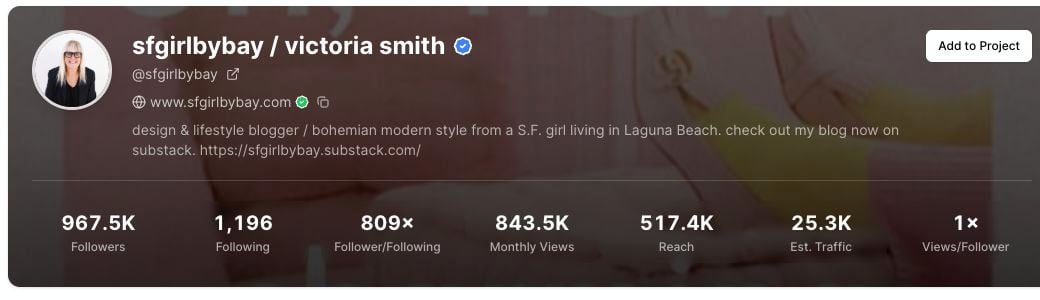
Profile Explorer header showing a connected domain and copy icon
The domain line can help you connect a Pinterest account to a blog, shop, or brand website. A verification marker can also appear when the domain is verified on the Pinterest profile.

Use header metrics with recent pins

After you review the header, scroll to the recent pin sections. The header tells you profile size and visibility. Recent pins show what the account is actually publishing and which examples are getting engagement.