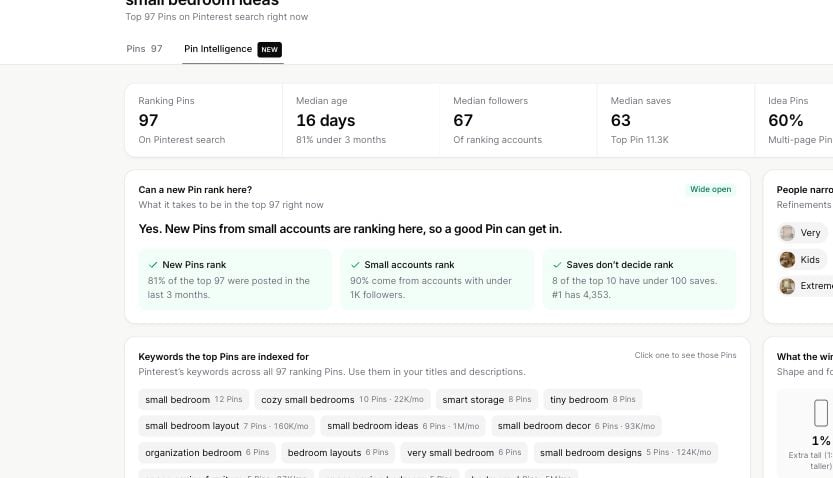
Pin Explorer shows pin-level details so you can compare what is working on Pinterest. Use the metrics as signals, not as a single score. A strong pin usually has a mix of useful content, clear visuals, good timing, and the right topic fit.
Pin Explorer table with pin details and metric columns

Pin

The Pin column shows a preview image. Click the image when you want to see a larger version. This helps you study the layout, image style, text overlay, and visual angle.

Details

The Details column shows the pin title and pinner information. You may see:
  • The pin title
  • The pinner username
  • The pinner follower count
  • A linked article icon, when the pin has a destination link
  • View Annotations, when Pinterest labels are available
Click the pinner username to open that pinner in Profile Explorer.

Published

Published shows the date Pinsearch has for the pin. Use it to compare newer and older pins. A newer pin with strong engagement can be a sign that the topic or visual angle is active right now.

Saves

Saves shows how many times people saved the pin. Saves are useful because Pinterest users often save content they want to revisit, try, buy, or use for inspiration. High saves can suggest:
  • The idea is useful
  • The visual is worth keeping
  • The topic has planning or inspiration value
  • The pin answers something people want later

Comments

Comments show how many comments the pin has. Comments can signal that the pin started a conversation, raised questions, or made people react more deeply.

Reactions

Reactions show quick engagement on the pin. Use reactions as a lighter engagement signal. They can help you compare pins when saves and comments are close.

Repins

Repins show how often the pin has been shared again. Repins can help you spot ideas that spread beyond the original pin.

Pinner follower count

The follower count appears under the pinner username in the Details column. Use it for context. A pin from a small profile with strong saves may be especially interesting because it performed well without a large audience.

Linked articles

Some pin titles include a small external-link icon. This opens the linked article or destination attached to the pin. Use linked articles to understand:
  • What the pin promises
  • What the destination page covers
  • How the pin title connects to the article
  • Whether the content angle fits your own audience

How to compare pins responsibly

Do not judge a pin from one metric only. A practical review flow:
  1. Sort by Saves to find high-interest pins.
  2. Check Published to see whether the pin is recent or older.
  3. Review Details for the title, pinner, and linked article.
  4. Open View Annotations for Pinterest labels.
  5. Save useful examples to a Project.
Look for patterns across several pins. One high-performing pin is useful, but repeated patterns are stronger research signals.