

Open the row action menu
Each pin row has an action menu at the far right. Click the three-dot menu to see row actions.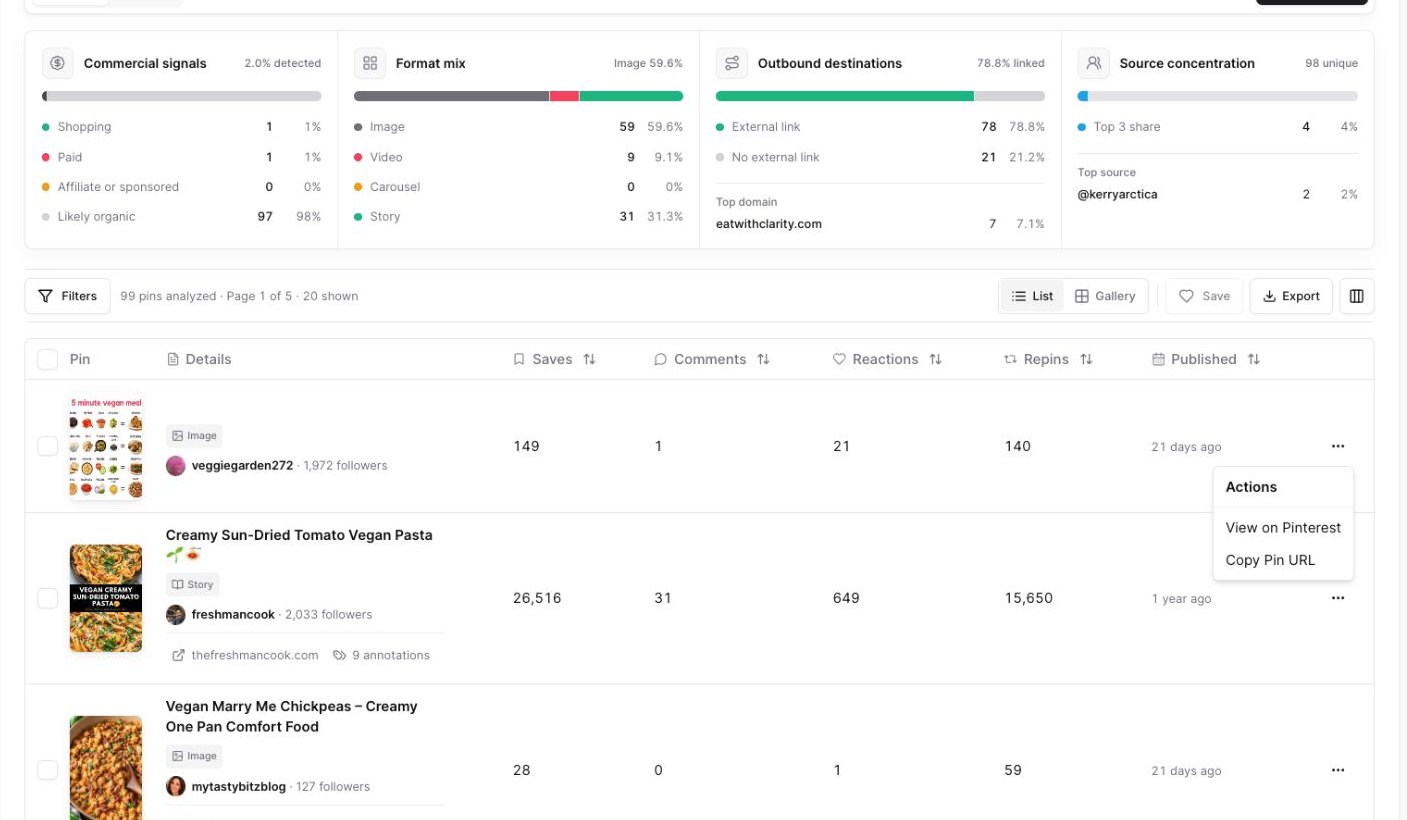
Use the row action menu to open a pin on Pinterest or copy its Pin URL.
View a pin on Pinterest
Use View on Pinterest when you want to inspect the live pin. This can help you check:- The full pin page
- Current comments or reactions
- The Pinterest context around the pin
- Related pins Pinterest shows near it
Copy a Pin URL
Use Copy Pin URL when you want to paste the pin into a note, message, spreadsheet, or URL-mode lookup. After the URL is copied, Pinsearch shows a success message.Open a linked website
Some pins have a linked destination. When a pin has one, the linked domain appears in the Details column. Click the domain to open the linked article or website. Review linked articles when you want to understand:- What the pin promises
- What content the pin sends people to
- Whether the destination angle matches the pin title
- How the page supports the Pinterest topic
Open a pinner in Profile Explorer
The pinner username appears in the Details column. Click the username to open that profile in Profile Explorer. Use this when you want to study:- Other pins from the same pinner
- Profile-level patterns
- Content themes
- Whether the pinner appears often in your niche
A practical review flow
When a pin looks interesting:- Check its saves, comments, reactions, and repins.
- Open the annotations button to understand related labels.
- Open the linked website if one appears.
- Open the pinner in Profile Explorer if the account looks relevant.
- Save the pin to a Project if it is worth revisiting.