

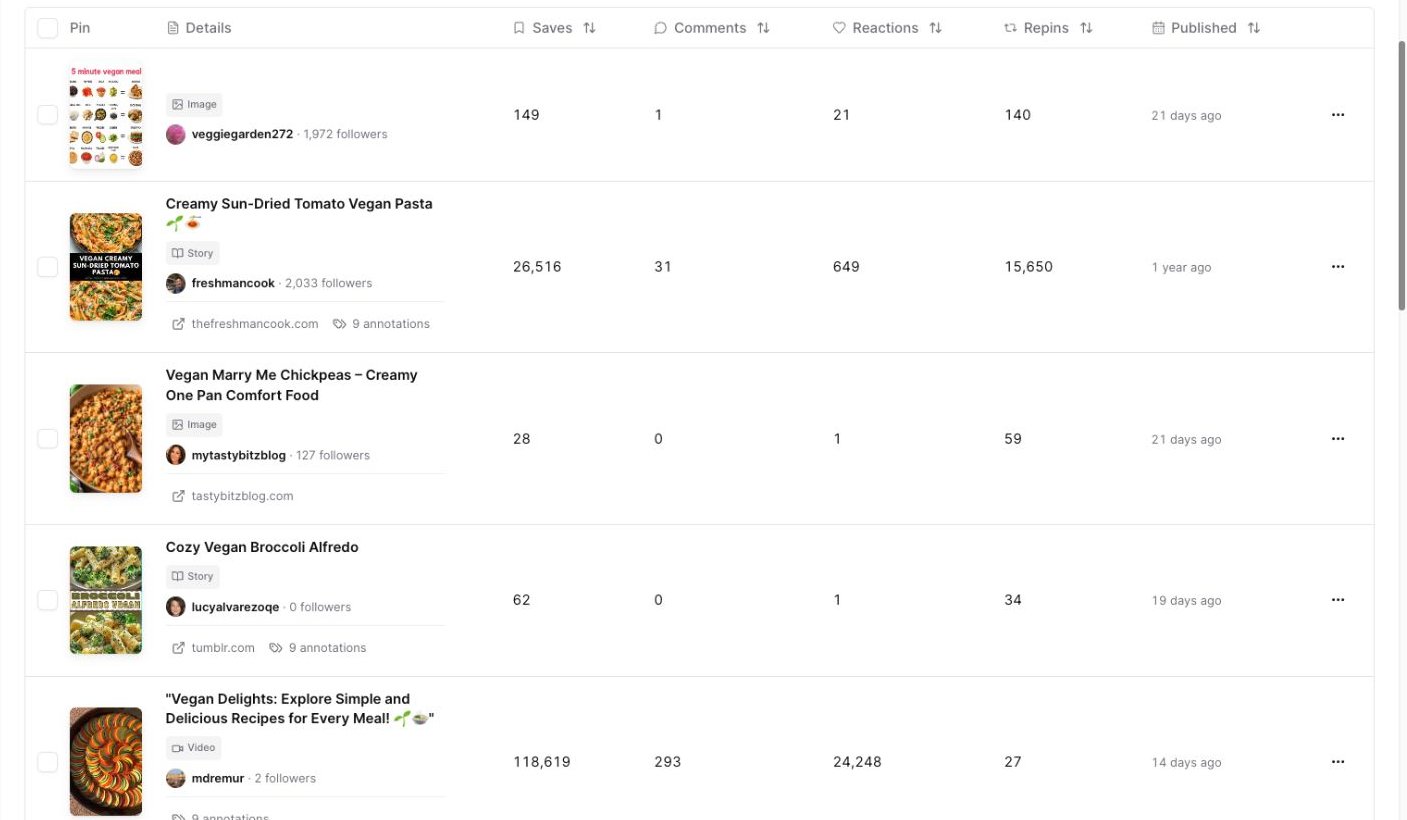
Search a keyword, then review the top pins Pinsearch finds for that topic.
Search for top pins
1
Open Pin Explorer
Open Pin Explorer from the Research section.
2
Use Keyword mode
Keyword is selected by default.
3
Enter a keyword
Type a topic into the keyword field. For example, search
vegan meals.4
Run the search
Click Search.
Choose a good keyword to search
Start broad enough that Pinterest has real content for the topic. Good starting examples:vegan mealsbedroom decorsummer outfitshealthy dinnerfall nails
bedroom decor before small cozy sage green bedroom shelf ideas.
Review the summary
The summary cards help you understand the result set before you inspect individual pins. Look at:- Commercial signals to see whether results include shopping, paid, affiliate, sponsored, or likely organic pins.
- Format mix to see whether the topic leans toward image, video, carousel, or story pins.
- Outbound destinations to see how many pins link to an outside website.
- Source concentration to see whether a few sources dominate the results.
Review the results
Each row shows one pin, with the pin image, title, pinner, follower count, published date, and engagement metrics. Use the table to look for:- Pin styles that appear often.
- Titles and angles that match the topic.
- Pins with strong saves or repins.
- Recently published pins that are already getting engagement.
- Pinners or profiles worth reviewing later.
Filter the results
Click Filters when you want to narrow the result set.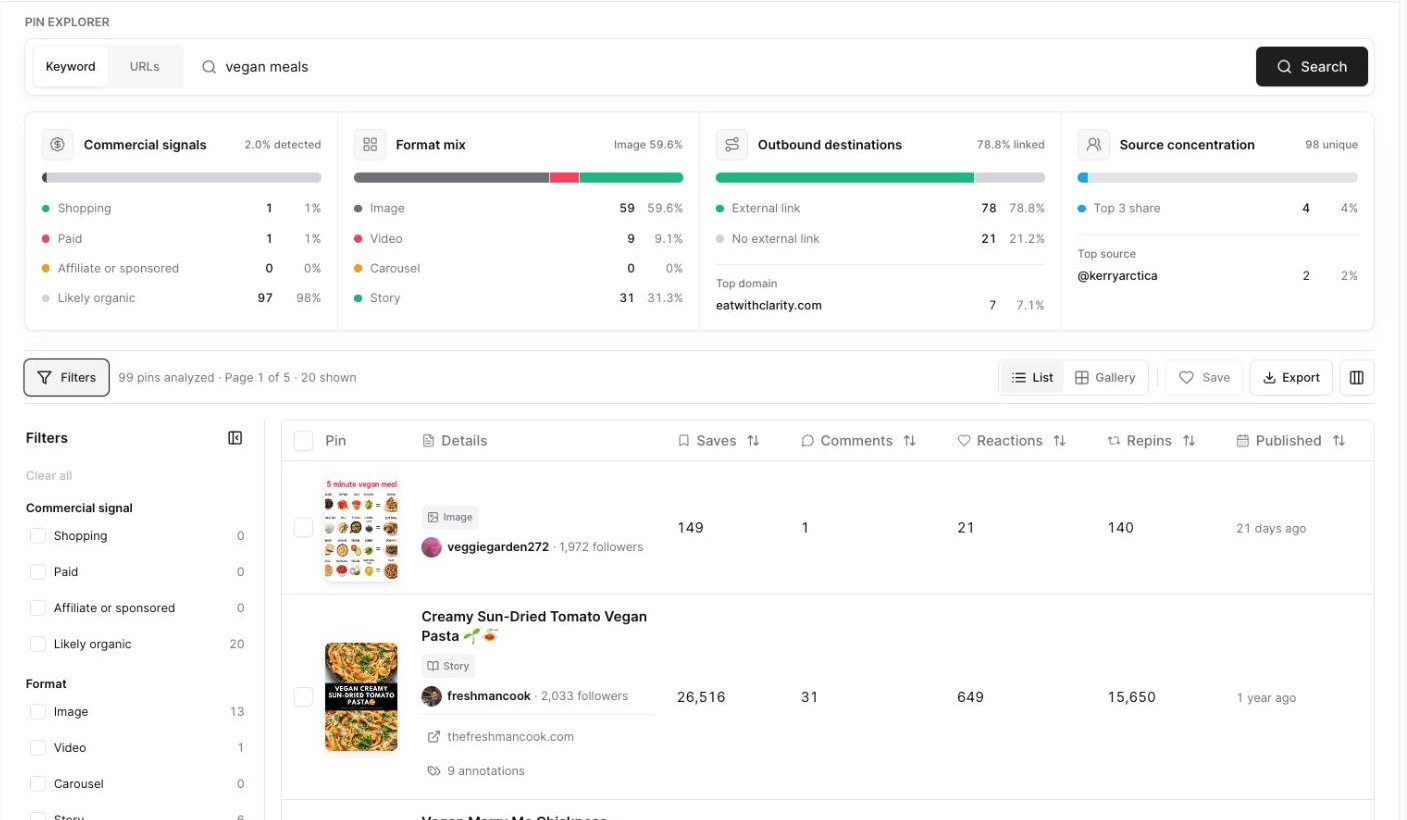
Filters help you focus on the kinds of pins you want to study.
- Commercial signal when you want to compare organic-looking pins against shopping, paid, or sponsored pins.
- Format when you only want image, video, carousel, or story pins.
- Destination when you want pins that link to outside websites.
- Published date when you want newer examples.
- Minimum saves when you want pins that have already been saved often.
Sort top pins
Click a sortable header to compare the pins. Useful sorting workflows:- Sort Saves to find pins people save often.
- Sort Comments to find pins with discussion.
- Sort Reactions to find pins that get quick engagement.
- Sort Repins to find pins being shared again.
- Sort Published to compare newer and older results.
Use gallery view
Click Gallery when you want to scan pin designs visually. Gallery view is useful when you want to study:- Text overlay styles.
- Image angles.
- Repeated colors or layouts.
- Which pins look easiest to understand at a glance.
Save useful pins
Select the checkbox beside each pin you want to keep, then click Save. Use Projects to keep examples for a blog post, campaign, client, seasonal board, or competitor research session.Export the results
Click Export when you want a CSV file.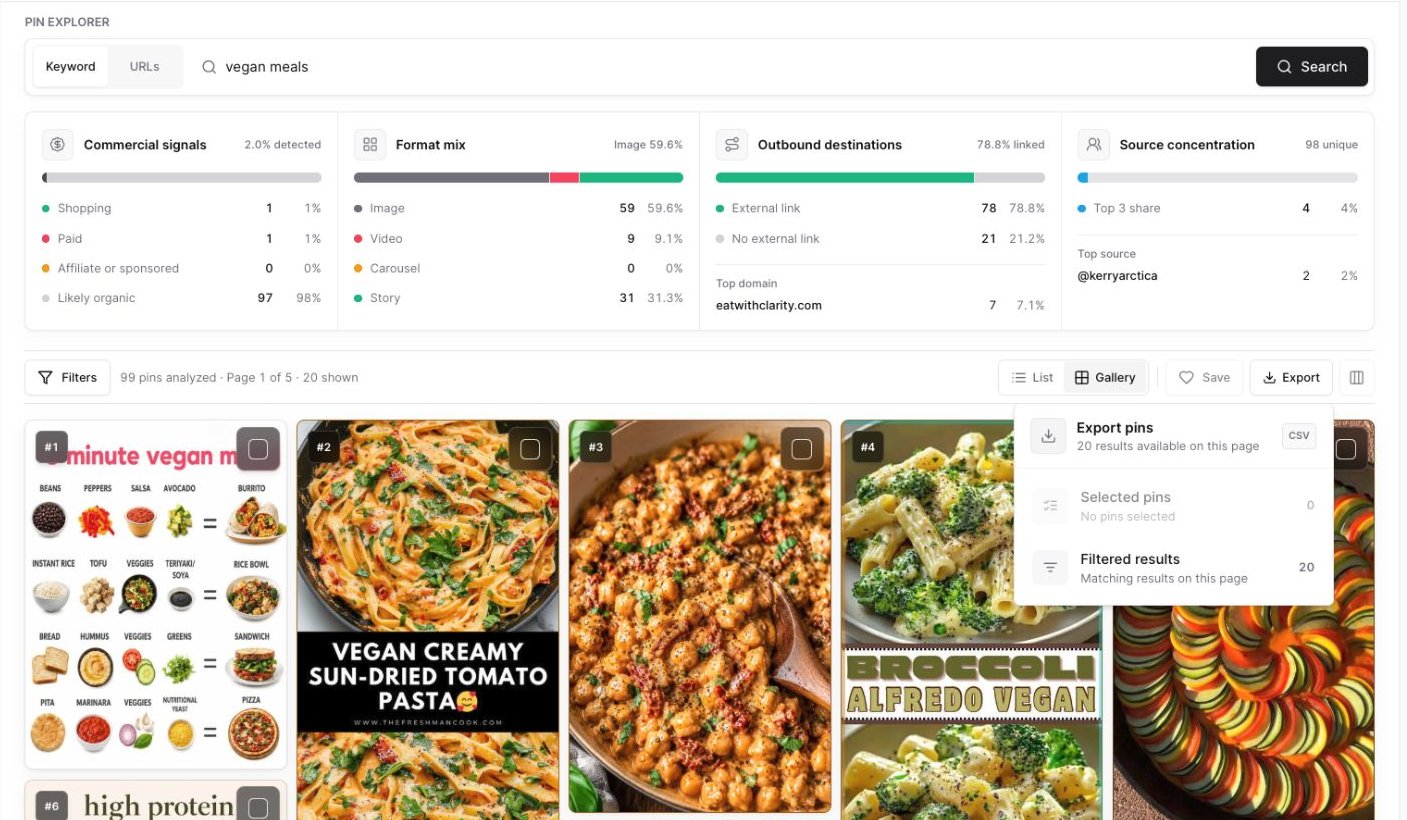
Export selected pins or the filtered results currently shown on the page.
- Selected pins: Only the rows you checked.
- Filtered results: The matching pins currently shown on the page.
What to do after the search
After you review top pins:- Save your strongest examples to a Project.
- Open high-performing pins on Pinterest if you want to inspect the live pin.
- Review linked articles when available.
- Use annotations to find related Pinterest wording.
- Use what you learn to shape your own pin title, description, image, or article angle.