

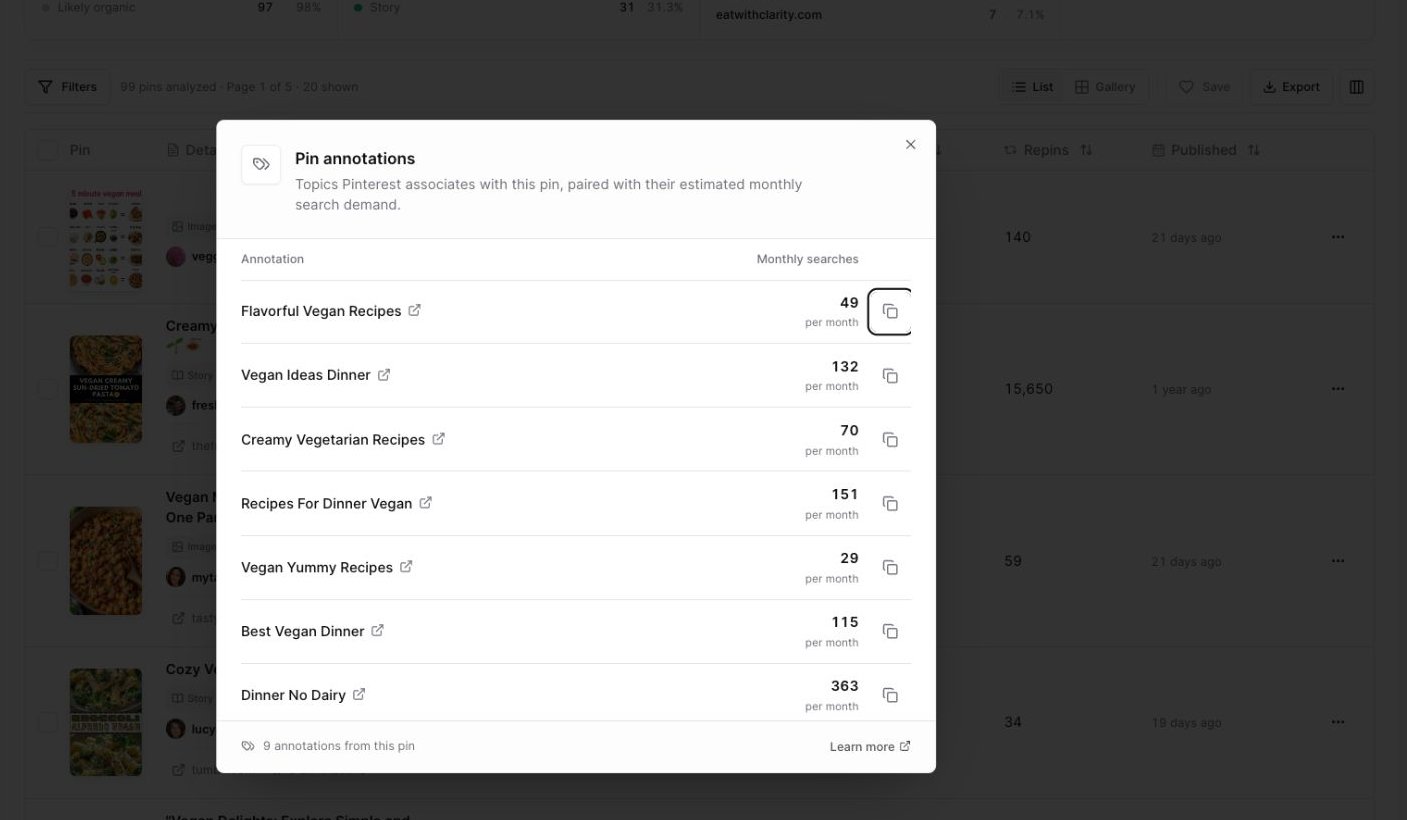
Open the annotations button to see Pinterest labels and estimated monthly searches for each label.
Open annotations
1
Run a Pin Explorer search
Search by keyword or paste Pin URLs.
2
Find a pin with annotations
Look in the Details column for an annotations button, such as 9 annotations.
3
Open the modal
Click the annotations button.
Understand monthly searches
Each label can show estimated monthly searches. Use this number as a directional signal for demand, not as an exact promise of traffic. For example:- A label with higher estimated volume may represent a broader Pinterest idea.
- A label with lower estimated volume may be more specific.
- A label marked unavailable can still be useful as a descriptive phrase, especially for creative wording.
Use annotations in your content
Annotations can help you improve:- Pin titles
- Pin descriptions
- Board names
- Article headings
- Topic angles
- Visual themes
Copy an annotation
Each annotation includes a copy icon. Click the copy icon beside a label when you want to use the phrase in your planning notes, Project brief, or content draft. Pinsearch shows a copied message after the label is copied.Open the Pinterest idea page
Annotation labels link to Pinterest idea pages. Open a label when you want to explore related Pinterest results and understand how the topic appears on Pinterest outside Pinsearch.What annotations are good for
Use annotations when you want to:- Find related words Pinterest associates with a pin.
- Understand the language around a visual style.
- Compare labels across several top pins.
- Spot recurring content angles.
- Improve your own pin title or description.